Screenshot Privacy Redactor & Image Blur Studio
Censor sensitive info, passwords, credit card numbers, and faces in screenshots before sharing online. Features classified blackout bars, mosaic pixelation, and smooth blur with zero-server privacy.
Drop a screenshot or image, or click to browse
Supports JPG, PNG, WebP. Processed entirely on your device — zero images uploaded.
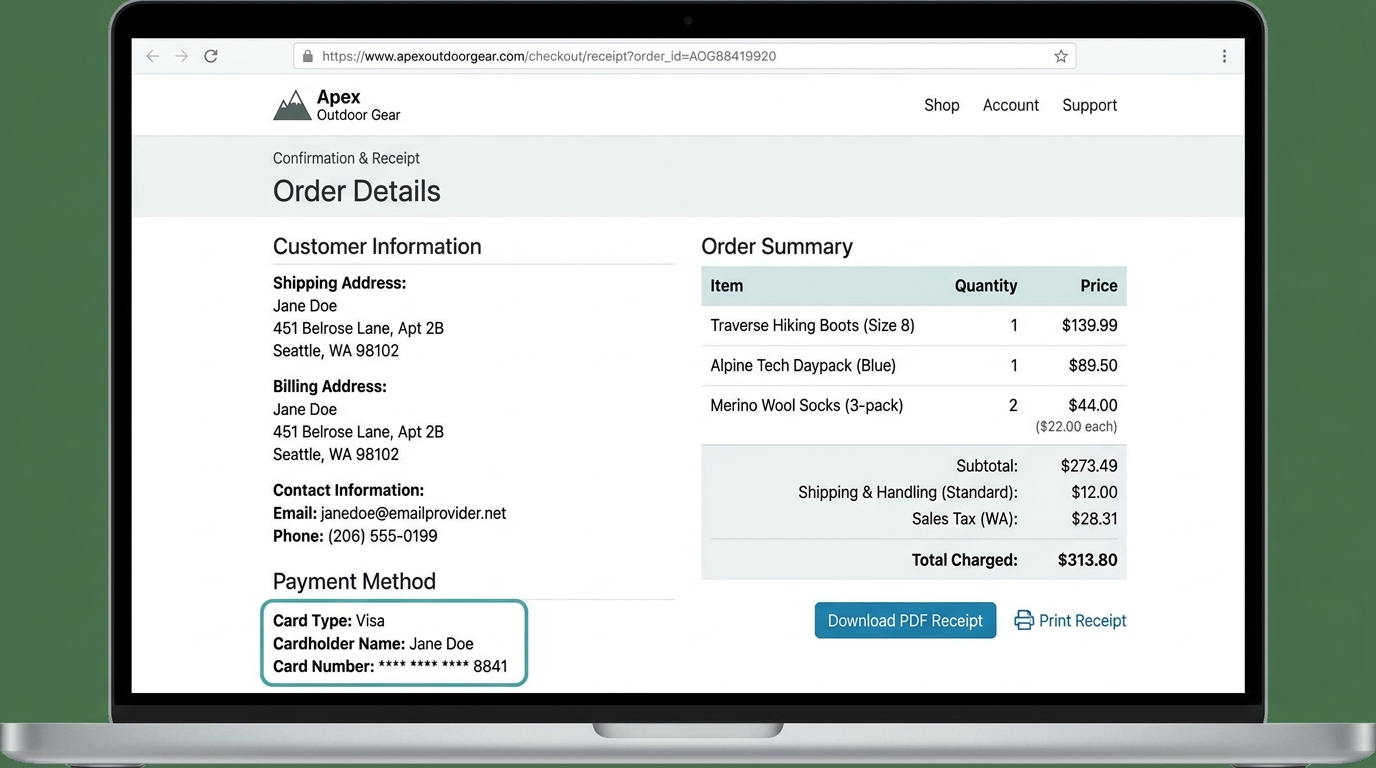
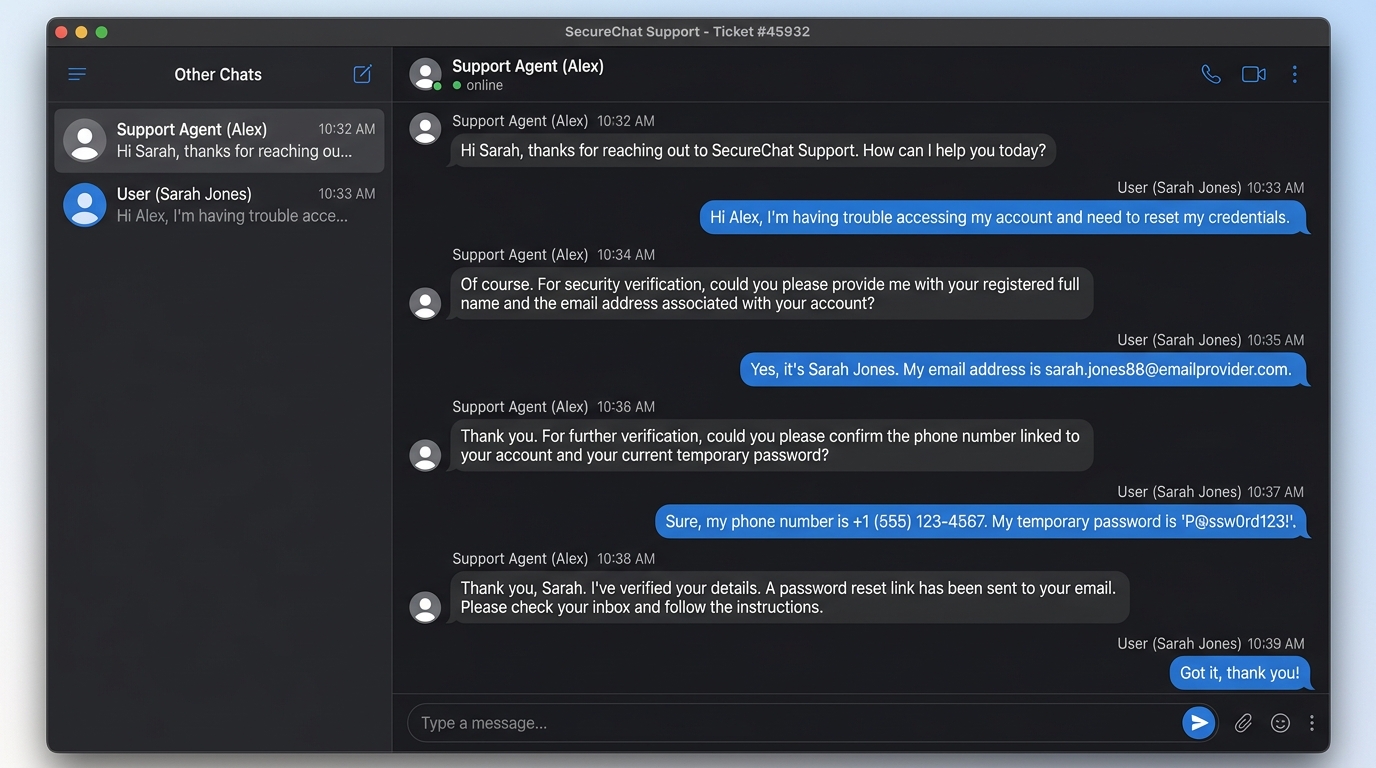
Redaction Controls
Instantly place sample blackout, pixelate, and blur boxes over sensitive fields.
Recommended Redaction Standards
Choose the right privacy technique depending on security requirements and publication destination.
| Target | Recommended | Level | Notes |
|---|---|---|---|
| Credit Card & IBAN Numbers | Blackout Bar | Classified (100% Opaque) | Irreversibly destroys underlying pixel data; impossible to reconstruct via OCR or AI. |
| Passwords, API Keys & Tokens | Blackout or Heavy Pixelate | Maximum Security | Use solid blackout or high-block mosaic when filing bug reports on GitHub or Discord. |
| Reddit & Twitter Screenshots | Pixelate / Blur | Public Sharing | Censors usernames, profile avatars, and addresses while keeping context legible. |
| Receipts & Invoices | Blackout / Whiteout | Professional | Matches document style to neatly hide pricing or personal billing addresses. |
How It Works
1. Upload Screenshot
Drop any screenshot, photo, receipt, or chat conversation into the studio.
2. Select Censor Style
Pick Classified Blackout, Mosaic Pixelation, Smooth Blur, or Clean Whiteout.
3. Drag Over Sensitive Info
Click and drag boxes over passwords, credit cards, faces, or private chat lines.
4. Share Privately
Download flattened file or 1-click copy directly into Reddit, Discord, or GitHub.
Irreversible Censoring
Underlying pixel data is permanently destroyed in flattened export. Cannot be reversed by OCR or AI.
100% In-Browser Privacy
All redaction occurs in local browser memory. Sensitive documents never touch our servers.
4 Redaction Modes
Switch effortlessly between Blackout bars, Mosaic Pixelation, Gaussian Blur, and Whiteout.
1-Click Clipboard Sharing
Copy redacted PNG directly to clipboard to paste into Reddit, Twitter, Slack, or GitHub issues.